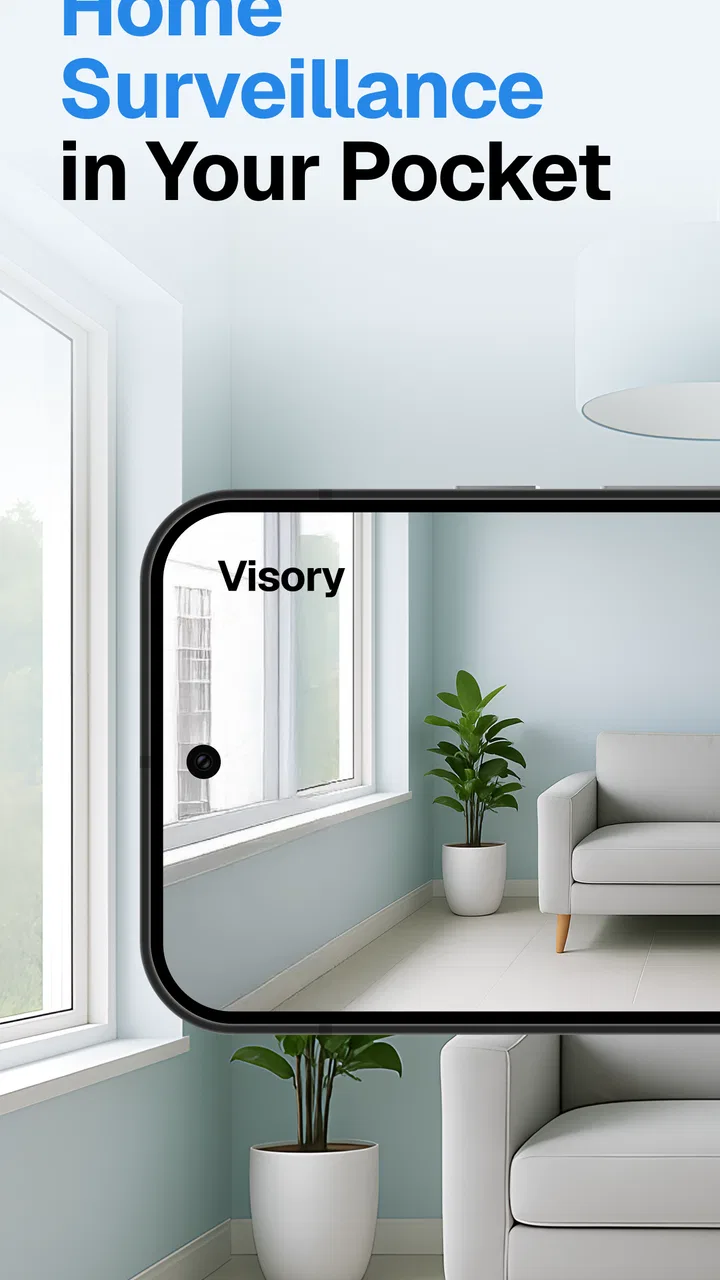
Surveillance Camera: Visory
- 4.3
- Rating
- 10.00M
- Installs
- Free
- Price

 Analysis by App-foxy
Turning an old phone into a home camera sounds simple, but the useful part is not the idea itself; it is whether the app makes the first connection understandable and practical. That is where Surveillance Camera: Visory caught my attention. It is a free House & Home app from Saby Baby monitor Ltd that lets an Android phone act as a remote for a home camera setup. I found it most appealing as a quick, low-cost way to check a room, a sleeping child, a pet, or an entry area without immediately buying another dedicated device.
My overall impression is positive, with one important qualification: this is best approached as a convenient phone-based monitoring tool, not automatically as a complete replacement for a purpose-built security system. The experience depends heavily on the phones, network, placement, and settings you already have. When those basics are sensible, the app can be reassuringly direct. When they are not, the limitations of using mobile hardware become obvious.
What Visory feels like in everyday use
Surveillance Camera: Visory has a clear practical role. One phone stays where you want to observe, while another becomes the device you use to view or control the camera feed. That arrangement suits people who already have spare Android hardware and want to test a monitoring setup before spending money on dedicated equipment.
You May Also Like

 AccuWeather: Weather Radar
AccuWeather Review: A Quick, Clear Forecast for Everyday Decisions
For everyday plans, the best forecast is the one you can understand quickly. AccuWeather makes rain timing, radar, and local conditions easy to act on, with a few trade-offs.

 Hill Climb Racing
Why Hill Climb Racing Still Turns Crashes Into One More Run
A tiny car, a bumpy hill and one more upgrade: Hill Climb Racing keeps resurfacing because its simple chaos makes every near-miss feel personal.

 AliExpress - Shopping App
AliExpress Makes Global Shopping Feel Personal, but Shoppers Bear the Risk
AliExpress turns a global marketplace into a pocket-sized discovery engine. Its reach is useful, its shopping loop compelling, and its trade-offs easy to miss.

 Lords Mobile: Kingdom Wars
Lords Mobile Is a Kingdom-Building Routine, Not a Quick Match
A case-by-case verdict on the building, battles, device demands, and social commitments that make Lords Mobile rewarding for some players and exhausting for others.

 PDF Scanner app - TapScanner
TapScanner Makes Paperwork Easier to Capture, Check, and Share
TapScanner makes scanning with a phone feel less like a rescue operation and more like a dependable step in getting work done. Its capture tools are useful, though not flawless.

 Block Blast!
Block Blast! Shows How Much a Puzzle Game Can Leave Out
A quiet grid game shows why puzzle players increasingly value instant clarity, repeatable skill and low-pressure play—and where the genre still needs to catch up.
More From Our News Desk
View All News


I would especially consider it for a temporary situation. You might want to keep an eye on a baby during a nap, check whether a dog has settled down, watch a room while moving between floors, or see what is happening near a doorway while doing chores elsewhere. These are short, ordinary checks rather than a demand for a professional surveillance network.
The app is aimed at Everyone, which matches its approachable purpose, and it is available at no upfront cost. Its store presence is substantial, with an average rating of 4.4 from around 437 thousand ratings and more than 10 million installs. Those figures suggest that the phone-as-camera idea has reached a broad audience, although popularity should not be mistaken for a guarantee that every home will get the same result.
The developer is Saby Baby monitor Ltd, and the app was released on January 7, 2022. The current version is 1.26.2, with Android 8.0 or later required. That minimum matters if you are planning to revive a very old handset: a phone that cannot run the app is not useful as a spare camera, no matter how good its battery or camera lens might be.
There are in-app purchases ranging from $2.99 to $99.99 per item. I would not treat the free download as proof that every possible capability is included without payment. Before building a long-term setup around a paid option, I would first confirm that the basic connection works in the exact room and with the exact phones I intend to use.
Who will get the most from it
This app makes the most sense for someone who values convenience over specialist hardware. If you have an unused Android phone, a stable place to power it, and another device available for viewing, Visory can turn those existing items into a useful short-range monitoring arrangement. It is also a sensible starting point for a first-time user who wants to understand whether phone-based monitoring fits their routine.
I would be more cautious about recommending it as the only protection for valuable property, a business, or a situation where recording continuity, tamper resistance, night performance, or formal alerts are essential. A dedicated camera normally has hardware designed around being permanently mounted and powered. A spare phone brings its own distractions: screen behavior, battery health, heat, notifications, charging cables, and the temptation to move it for another task.
What to prepare before installing
The smoothest first attempt starts with choosing the two devices before opening the app. Pick the phone that will remain in the monitored space and the phone you will carry or keep nearby for viewing. Check that both can run Android 8.0 or newer, and charge them first. A weak battery can make a perfectly good connection look unreliable.
Placement is more important than many new users expect. Put the camera phone somewhere stable, with the lens aimed at the area you actually need to see. Avoid placing it directly against a bright window, behind objects that can block the lens, or on an unstable surface that can slowly change the view. A slightly wider, less dramatic view is usually more useful than a close view that misses the doorway, cot, or pet bed whenever the subject moves.
Think about sound before you begin. A phone positioned near a fan, television, kitchen appliance, or open window may produce a noisy feed that makes meaningful sounds harder to notice. Conversely, placing it too close to the person or animal being monitored can create an unnecessarily intimate setup. I prefer testing the camera from the exact viewing position rather than judging it while standing beside the phone.
Network conditions deserve the same attention. If the phones are expected to communicate through a home connection, test the setup in the places where you will actually use it. A connection that works beside the router may not behave the same way at the back of the house. This is one of the most useful early checks because it separates an app problem from a weak or inconsistent network path.
Getting through the first setup without guessing
Install Visory on the phones you have chosen and give yourself a few uninterrupted minutes for the initial pairing. I recommend not starting during a stressful moment, such as when a child has just fallen asleep. A calm test lets you notice which phone is acting as the camera and which one is acting as the viewer, instead of repeatedly switching roles and wondering why the picture is not appearing.
Keep both devices close together for the first connection. Once the basic link is working, move the viewing phone to its normal location and test again. This two-stage method is more reliable than trying to diagnose pairing, distance, placement, and network quality all at once.
When the app asks you to identify the purpose of each device, read the wording carefully rather than tapping through automatically. The most common beginner mistake with this kind of setup is reversing the roles. The phone left in the room needs to be the camera; the phone in your hand needs to be the remote viewing device. If the wrong role is selected, starting over is often faster than trying to force the arrangement to behave differently.
Keep the camera phone connected to power if it will be used for more than a short check. A phone screen that stays active can consume energy, and an older battery may drain faster than expected. At the same time, do not hide the phone under fabric or place it somewhere with poor airflow. A camera that is technically running but overheating, losing power, or being accidentally covered is not a dependable camera.
I also suggest silencing unrelated interruptions on the camera phone where practical. Incoming calls, message banners, alarms, and other activity can distract from the monitoring job or alter what appears on screen. This is not a glamorous tip, but it is one of the differences between a setup that works in a demonstration and one that remains useful during a normal evening.
The first meaningful success
Your first success should be more specific than simply seeing a picture. Place the camera phone where it will really stay, walk to the position from which you will view it, and confirm that you can identify the important part of the room. For a child, that might be whether the sleeping area is visible. For a pet, it might be the bed and the path to the water bowl. For an entrance, it might be the approach rather than just the door itself.
After the image appears, leave the viewing phone alone for several minutes. Watch for interruptions, delayed updates, or a connection that disappears when you stop actively touching the screen. This quiet test gives you a better sense of whether the setup is suitable for unattended short checks. It also prevents false reassurance from a connection that only worked during the first few seconds.
A useful everyday scenario is keeping the camera phone in a living room while you prepare dinner in the kitchen. Instead of repeatedly walking back to check whether a dog is scratching at the door or whether a child has woken, you can look at the remote phone when needed. The value is not cinematic image quality; it is reducing unnecessary trips while keeping the situation visible.
Another good test is a deliberate movement through the scene. Walk from one side of the room to the other, then sit or lie down where the subject would normally be. This reveals whether furniture blocks the important view and whether the camera is aimed too narrowly. It also helps you decide whether the phone should be raised, rotated, or moved farther back.
The most important early habit is to test the complete routine, not just the connection. A monitoring app succeeds when the camera phone stays available, the viewing phone is easy to reach, and the picture answers a real question. If you need to rearrange the room every time you use it, the setup is not yet practical even if the technical pairing worked.
Confusions that can make a working setup seem broken
The first source of confusion is the difference between a camera phone and a remote phone. The store summary describes the phone as a surveillance camera remote, but the physical arrangement still matters. One device must remain in the monitored location, and another must be available for checking. Treating both phones as interchangeable during the first attempt can make the process feel more complicated than it is.
The second is distance. Seeing a feed while both phones are on the same table does not automatically prove that the setup will be equally useful from another floor or outside the home. Move one device at a time and test the range you care about. If the picture stops responding, first return both phones to the known working position. That simple comparison can tell you whether the issue is distance, network quality, or the device itself.
A third confusion involves the camera view. A phone lens is fixed in the position where you leave it. If the subject moves outside that frame, the app cannot compensate for poor placement. Before blaming the software, check the edges of the image and identify the places where the person, pet, or activity could disappear. A higher mounting point can sometimes provide a more useful overview, but it should be secure and out of reach.
Power is another quiet failure point. A phone may appear fully ready at the beginning and then become unavailable later because it was not charging properly, the cable was loose, or the battery was already worn. I would test the charging arrangement separately and avoid relying on a damaged cable. For a temporary session, a full charge may be enough; for repeated use, continuous power is the more sensible plan.
Privacy also deserves a deliberate decision. A camera phone can capture parts of a home that were not part of your original plan, including visitors or private conversations. Place it only where everyone who could reasonably be recorded understands its purpose. Do not point it toward a neighbor’s private area or use it casually in a space where people expect not to be monitored. The fact that a phone can act as a camera does not remove the responsibility to use it respectfully.
How it compares with the usual alternatives
Compared with buying a dedicated indoor camera, Visory has the obvious advantage of using hardware you may already own. You can experiment without committing to a separate camera body, mounting system, or another product ecosystem. That makes it attractive for renters, occasional use, travel within a home, or a short-term need.
The trade-off is that a spare phone is rarely as purpose-built. A dedicated camera may be easier to leave mounted, may be designed for continuous power, and may offer a more predictable physical setup. If you need a fixed view that runs every day with minimal attention, dedicated hardware is likely the better long-term choice. I would choose Visory when flexibility and low initial cost matter more than a polished permanent installation.
Compared with a simple audio baby monitor, this app can provide visual context instead of making you interpret every sound. That is useful when you need to know whether a child has actually woken or whether a pet is moving around. The downside is that a phone-based system asks more from your devices and network, while a basic monitor may be simpler for one narrowly defined room-to-room job.
Compared with a general video-call arrangement, Visory is more purpose-focused for a camera-and-viewer setup. A video-call app may require more manual steps and can be awkward when the camera phone is left unattended. I would still favor a standard call for speaking directly with someone, while Visory makes more sense when the main goal is checking a space rather than holding a conversation.
Practical ways to make the setup more dependable
Use a repeatable placement instead of moving the camera phone from room to room without a plan. A small mark on the shelf or a consistent stand position can make the view easier to restore. This is particularly helpful if you use the app for a child’s nap in the afternoon and for a pet in the evening. Consistency reduces the chance of discovering later that the lens is aimed at a wall or blocked by a cushion.
Keep the viewing phone accessible but not so close that every notification pulls your attention away. The app is most useful as a quick check, not as an excuse to stare continuously at a screen. I found that deciding in advance what I am checking—movement, position, or activity—makes the tool feel calmer and more purposeful.
For a temporary setup, label the two phones mentally or with a simple note so that family members know which one stays in place. This avoids the surprisingly common problem of someone picking up the camera phone to use it and unintentionally ending the monitoring session. A spare device is only spare until someone needs its charger, camera, or screen.
If you are considering an in-app purchase, wait until you have completed several free tests. First establish that your phones, placement, and network suit the basic job. Paying for an additional capability will not fix a camera phone that is pointed incorrectly, losing power, or located beyond a reliable connection. This order of testing protects you from spending money to solve the wrong problem.
Finally, treat the arrangement as a supplement to ordinary safety habits. It can help you check a room, but it does not replace a locked door, a safe sleeping environment, supervision where needed, or a proper alarm when security is the real priority. The app is strongest when it reduces small uncertainties, not when it is asked to carry the entire responsibility for home safety.
My recommendation for a first-time user
I recommend trying Visory if you have two suitable Android phones and a clear, modest goal. Begin with one room, one camera position, and one viewing device. Give yourself time to test the connection, the picture, the sound, and the charging arrangement before depending on it. That approach makes the first successful action reassuring rather than mysterious.
I would skip it if you need guaranteed round-the-clock security, a highly polished permanent installation, or specialized camera hardware. In those cases, a dedicated solution is a better match. I would also avoid relying on it for sensitive situations until you have personally tested how stable the setup is in your home and decided exactly where the phone should be placed.
For everyone else, this is a useful example of getting more value from hardware already sitting in a drawer. The free entry point makes experimentation easy, the Everyone rating keeps it approachable, and the large user base shows that the concept resonates. My final view is that Visory is worth trying for everyday visual checks, provided you remember that the quality of the experience comes from the whole arrangement: two capable phones, sensible placement, reliable power, a suitable connection, and realistic expectations.
Once that foundation is in place, the next step is simple: use it during one ordinary routine and see whether it genuinely saves effort. If checking a room from the next space makes your day easier, the app has earned a place in your toolkit. If you find yourself constantly adjusting phones, reconnecting devices, or worrying about coverage, that is a clear sign that a dedicated camera or a simpler monitor would serve you better.
FAQs for Surveillance Camera: Visory
01What features does the Surveillance Camera: Visory app offer?
Surveillance Camera: Visory provides a comprehensive suite of features including live streaming, motion detection alerts, night vision, and cloud storage. Users can also access multiple camera feeds simultaneously and customize their alert settings. These features make it easy to monitor any location remotely and ensure maximum security.
02How user-friendly is the Surveillance Camera: Visory app?
The app is designed with a user-friendly interface, making it easy for both beginners and experienced users to navigate. Setup is straightforward with step-by-step guides, and real-time support is available for troubleshooting. The intuitive dashboard allows users to quickly access key features and customize settings to their preference.
03Is the Surveillance Camera: Visory app compatible with all devices?
The app is compatible with most Android and iOS devices. However, it's crucial to ensure your device meets the minimum operating system requirements for optimal performance. Compatibility with specific camera models should also be verified to ensure all features function correctly. Regular updates ensure continued compatibility with new devices.
04What are the privacy and security measures in place for the Surveillance Camera: Visory app?
Visory prioritizes user privacy and security. The app employs end-to-end encryption to protect data during transmission and secure cloud storage for recorded footage. Users have control over who can access their camera feeds, and regular updates are provided to address any security vulnerabilities.
05Are there any subscription fees or in-app purchases associated with Surveillance Camera: Visory?
While Visory offers a free version with basic features, advanced functionalities such as extended cloud storage and enhanced alert systems may require a subscription. Pricing is competitive, and users can choose from different plans based on their needs. It's advisable to review these options to understand what best fits your requirements.
Pros
- User-friendly interface for easy navigation.
- High-quality video streaming with minimal lag.
- Customizable alerts for motion detection.
- Remote access from multiple devices.
- Secure data encryption to protect privacy.
Cons
- Requires a stable internet connection.
- Limited free features in the basic plan.
- Battery drain can be significant.
- Occasional false motion alerts.
- Subscription required for cloud storage.

Surveillance Camera: Visory
Gallery